Roblox has announced Predictive Streaming, a new opt-in engine feature designed to make games feel smoother by intelligently loading parts of the world before players reach them. The update aims to reduce loading pauses, visual pop-ins, and missing objects without requiring developers to write any additional code.
Smarter Streaming Technology
Predictive Streaming works alongside Roblox's existing Instance Streaming system. Instead of only loading areas around the player's current location, the engine now uses built-in signals to predict where players are likely to go next and begins loading those areas in advance.
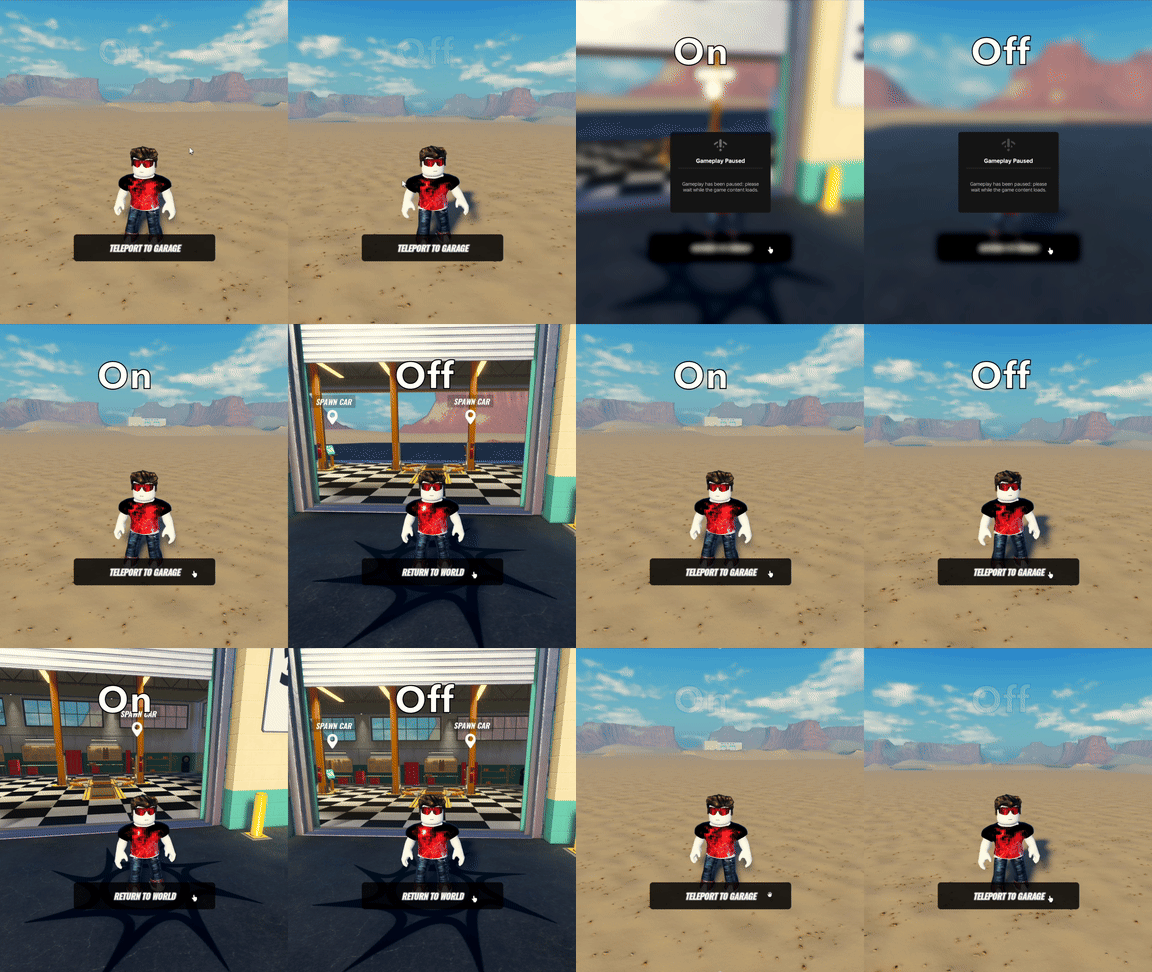
This helps reduce noticeable delays when players teleport, respawn, or quickly move around large experiences.
Roblox says these predictions are temporary and additive—they don't change game logic or how streaming behaves. If the player never travels to a predicted area, the extra content is automatically unloaded after a short period. The system also takes device performance into account, avoiding predictive loading on devices with limited memory or resources.
Two Features Available at Launch
Predictive Streaming launches with two major improvements:
Spawn Prefetching
When a player is waiting to respawn, Roblox begins streaming possible spawn locations before they appear. This means players should experience fewer loading pauses and missing assets immediately after respawning.
CFrame Return Optimization
If a player uses CFrame to quickly move away from an area, Roblox temporarily keeps that previous location loaded. If they return shortly afterwards, the environment is already available, reducing loading delays.
This is particularly useful for experiences where players frequently move between areas such as:
- Buildings
- Shops
- Hubs
- Underground levels
- Interior and exterior locations
How to Enable It
Developers can enable Predictive Streaming by:
- Opening Workspace in Roblox Studio.
- Setting PredictiveStreamingMode to Enabled.
The feature only works in experiences that already have Instance Streaming enabled.
Looking Ahead
Roblox says this is only the beginning. The company plans to continue expanding Predictive Streaming with additional prediction methods over time.
One feature currently being explored is path-based prefetching, which would use player movement heatmaps to predict future travel paths and stream those areas in advance.
Frequently Asked Questions
Roblox recommends using Predictive Streaming for most common teleporting and respawn scenarios, while developers who need more precise control can continue using Prefetches or Multiple Replication Foci (MRFs).
The new system also works alongside manually created prefetches and MRFs, avoiding duplicate streaming points if developers have already configured them.
Roblox also confirmed that Predictive Streaming is completely optional. It will remain an opt-in feature and will not become mandatory in the future.
Final Thoughts
Predictive Streaming is a quality-of-life improvement aimed at making Roblox experiences feel more seamless, especially in large open worlds or games that rely heavily on teleportation and respawning. Because it requires no scripting changes and automatically adapts to player behavior, developers can improve streaming performance simply by enabling the new setting in Studio.